News | Articles | Books | Links |   Digiretus.hu |  Digiretus.ro| RSS
Lightroom|2013.05.20.
Photo review|2013.05.11.
Photoshop Tutorials|2013.05.05.
Photoshop Tutorials|2013.04.18.
Android|2013.04.16.

Adobe Photoshop Lightroom — Gradient gray filter


A virtual filter against the bleached sky


Photo reviews – Stairs, Gate


The world of interiors


Blurring reflections in Photoshop CS2+

level: easy


How to make an accidental reflection on the shiny parts of a photo unnoticeable.


Removing unwanted elements from pictures III in Photoshop

level: easy


Yet again, those silly wires hanging in your picture.


Adobe Photoshop Express - Part I - Cropping and rotation


What else would we discuss in our first article about Androids but the mobile version of the king of photo manipulation, Adobe Photoshop Express.


Which photo editor do you often use?

Photoshop
GIMP
Photoshop elements
Paint Shop Pro
other software
nothing


Search this site


PS Tutorials|2007.10.05.

Removing unwanted elements from pictures in Photoshop

level: easy


An occasional branch, power lines or an intruding mother-in-law disturbs the general effect of the picture? Never mind.


Search by category: Photoshop tutorials Photoshop plugins PS Elements Photo Retouch Photo Review Free programs Other programs Photoshop Articles Paint Shop Pro Reviews Lightroom CaptureOne Android

 
Advertisement


Search by title:


Full list of articles
Total hits: 4674382
Total tutorials: 363


We’ll now restore white balance and balance red colors.

Date: 2013.04.14. Category:

PS Elements

 Hits: 372
 

Impressionist painting, only a bit different.

Date: 2013.04.09. Category:

Photoshop Tutorials

 Hits: 473
 

Crossing borders

Date: 2013.04.04. Category:

Photo review

 Hits: 278
 

The solution for inclining building photos lies somewhere within Lightroom.

Date: 2013.03.24. Category:

Lightroom

 Hits: 550
 

The sky is better off without wires.

Date: 2013.03.18. Category:

Photoshop Tutorials

 Hits: 583
 

One in a million.

Date: 2013.03.10. Category:

Photo Retouch

 Hits: 566
 

The appropriate algorithm for zoom in and zoom out respectively.

Date: 2013.03.02. Category:

Photoshop Tutorials

 Hits: 539
 

I received two fine pictures!

Date: 2013.02.24. Category:

Photo review

 Hits: 523
 

The important details are highlighted.

Date: 2013.02.24. Category:

CaptureOne

 Hits: 485
 

A picture of any size and position you like.

Date: 2013.02.20. Category:

Lightroom

 Hits: 411
 

Aside with the glass. Let’s see what a digital filter is capable of.

Date: 2013.02.16. Category:

Photoshop Tutorials

 Hits: 558
 

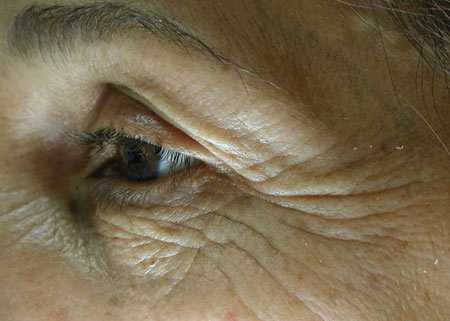
Over-exposure, an effect reminiscent of graphics. Go for it!
Date: 2013.02.12. Category:

Photoshop Tutorials

 Hits: 871
 

Void of colors

Date: 2013.02.04. Category:

Photo review

 Hits: 322
 

Cropping and rotation in all proportions.

Date: 2013.02.01. Category:

CaptureOne

 Hits: 487
 

Lightroom version 2 allows for some retouching directly in RAW photos.

Date: 2013.01.22. Category:

Lightroom

 Hits: 785
 

Photoshop against gloominess and grey.

Date: 2013.01.19. Category:

Photoshop Tutorials

 Hits: 745
 

Channels, color modes, and sharpening.

Date: 2013.01.14. Category:

Paint shop pro

 Hits: 602
 

Back to nature.

Date: 2013.01.13. Category:

Photo review

 Hits: 333
 

Black sky and white foliage… of course, it is the infrared filter.

Date: 2013.01.09. Category:

Photoshop Tutorials

 Hits: 615
 

Brightness and contrast in the photo, in many ways.

Date: 2013.01.04. Category:

Lightroom

 Hits: 632
 

Again, Janos Vajda got two photos in his hands.

Date: 2012.12.16. Category:

Photo review

 Hits: 608
 

How to bring backward inclining buildings back in balance with a Photoshop tool.

Date: 2012.12.09. Category:

Photoshop Tutorials

 Hits: 890
 

We are going into more depth with sharpening.

Date: 2012.12.08. Category:

Paint shop pro

 Hits: 867
 

Plastic photos

Date: 2012.11.28. Category:

Photo review

 Hits: 913
 

Zonestew

Date: 2012.11.27. Category:

Photoshop plugins

 Hits: 1269
 

Good old gamma adds some fill light to the shadows.

Date: 2012.11.26. Category:

Photoshop Tutorials

 Hits: 820
 

Again, brightness and contrast are in the focus, but this time let’s go deeper in the topic.

Date: 2012.11.25. Category:

Lightroom

 Hits: 631
 

We are looking at the two best-accomplished pieces in the sequence.

Date: 2012.11.19. Category:

Photo review

 Hits: 529
 

“Digital photo labor” opens again.

Date: 2012.11.18. Category:

Photoshop plugins

 Hits: 644
 

Indeed, what are they good for?

Date: 2012.11.18. Category:

CaptureOne

 Hits: 549
 

Too dark corners in a mono-color area? It’s a piece of cake.

Date: 2012.11.17. Category:

Photoshop Tutorials

 Hits: 566
 

We are facing two intriguing experiments in these photos of musical instruments.

Date: 2012.11.11. Category:

Photo review

 Hits: 464
 

Cropping the picture to a custom shape

Date: 2012.11.11. Category:

Photoshop Tutorials

 Hits: 654
 

Is there anything under the white?

Date: 2012.10.28. Category:

Lightroom

 Hits: 567
 

Analysis of nature photos from János Vajda.

Date: 2012.10.23. Category:

Photo review

 Hits: 632
 

Yet again, contrast-ruining mist goes away.

Date: 2012.10.23. Category:

Photoshop Tutorials

 Hits: 801
 

We are now re-launching our photo review column with the help of János Vajda.

Date: 2012.10.17. Category:

Photo review

 Hits: 483
 

Would you like the original colors back?

Date: 2012.10.10. Category:

Photoshop Tutorials

 Hits: 1011
 

“Lensdoctor” offers cure for all kinds of lens distortion.

Date: 2012.10.08. Category:

Photoshop plugins

 Hits: 1023
 

Pick a background to your liking with the help of a hidden tool.

Date: 2012.09.26. Category:

PS Elements

 Hits: 1468
 

Exactly what the title suggests.

Date: 2012.09.24. Category:

Lightroom

 Hits: 1191
 

The right exposition and contrast – a step deeper insight.

Date: 2012.09.24. Category:

CaptureOne

 Hits: 748
 

Triple noise = film grain?

Date: 2012.09.21. Category:

Photoshop Tutorials

 Hits: 882
 
Level: advanced

Awkward, colored stripes over the photo? Let’s get rid of them at once!

Date: 2012.09.18. Category:

Photoshop Tutorials

 Hits: 2758
 

Elliptic-shaped photos for websites. Illusion, bet it may work.

Date: 2012.09.04. Category:

Photoshop Tutorials

 Hits: 1553
 

Here’s the chance to get to know “Digital film laboratory” option.

Date: 2012.08.26. Category:

Photoshop plugins

 Hits: 1233
 

We will carefully restrain some colors on the loose.

Date: 2012.08.18. Category:

Photoshop Tutorials

 Hits: 2830
 

Colors are weighted

Date: 2012.08.16. Category:

CaptureOne

 Hits: 1074
 

Decolorization is not enough here.

Date: 2012.07.14. Category:

Lightroom

 Hits: 1526
 

Make the delicate texture more definite and they will get accentuated in your photo.

Date: 2012.07.08. Category:

Photoshop Tutorials

 Hits: 2145
 

Balázs Turay picked three gig photos again and let his thoughts wander around.

Date: 2012.07.07. Category:

Photo review

 Hits: 976
 

The same but differently

Date: 2012.07.03. Category:

Photoshop Tutorials

 Hits: 1345
 

If you lack precious time

Date: 2012.06.28. Category:

CaptureOne

 Hits: 1295
 

We will now make the same editing actions in every piece in the photo sequence but quickly.

Date: 2012.06.25. Category:

Lightroom

 Hits: 1294
 

Thoughts and photos of concerts.

Date: 2012.06.21. Category:

Photo review

 Hits: 701
 

How to cut out something complicated.

Date: 2012.06.17. Category:

Photoshop plugins

 Hits: 2712
 

We now put the “smart” Photoshop sharpening filter to the test.

Date: 2012.06.16. Category:

Photoshop Tutorials

 Hits: 1220
 

Some tips for easy and quick editing.

Date: 2012.06.12. Category:

Lightroom

 Hits: 1521
 

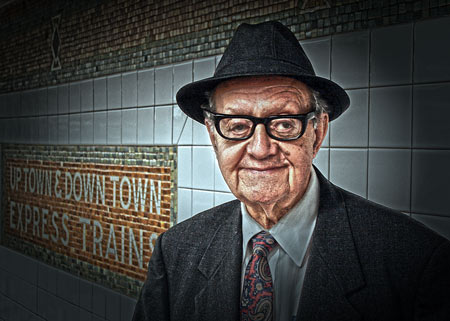
In another article we emphasized wrinkles, now we are about to remove them.
Date: 2012.06.10. Category:

Photoshop Tutorials

 Hits: 2320
 

RAW image is at its best without the purple and green worms.

Date: 2012.06.04. Category:

Lightroom

 Hits: 1834
 

Motto: the photo is cheating. What appears in the picture is not reality even if it wants to make you believe that. It points over reality.

Date: 2012.05.31. Category:

Photo review

 Hits: 995
 

This time with a Photoshop CS2 paint brush.

Date: 2012.05.28. Category:

Photoshop Tutorials

 Hits: 1770
 

A magnetic lasso? No, it’s not a western movie.

Date: 2012.05.27. Category:

PS Elements

 Hits: 1457
 

Those darned titles…

Date: 2012.05.19. Category:

Photo review

 Hits: 1006
 

We’ll now become double dealers. Of course, it’s all just in the photo.

Date: 2012.05.13. Category:

Lightroom

 Hits: 1935
 
Level: advanced

We will calculate the image area we wish to edit.

Date: 2012.05.05. Category:

Photoshop Tutorials

 Hits: 1638
 

Let's see how an artist works!

Date: 2012.05.01. Category:

Other Programs

 Hits: 1757
 

Hypnotic eyes? We should brighten them a bit.

Date: 2012.04.29. Category:

Lightroom

 Hits: 1689
 

A complex set of steps for the same result.

Date: 2012.04.22. Category:

Photoshop Tutorials

 Hits: 3379
 

Though there is a shorter way, we prefer the winding road yet again.

Date: 2012.03.31. Category:

Photoshop Tutorials

 Hits: 2107
 

Paint Shop Pro offers several solutions for red eye effect starting from darken brush to colored contact lenses.

Date: 2012.03.04. Category:

Paint shop pro

 Hits: 1720
 

Excessively glowing cheeks? Take out the Lightroom sliders.

Date: 2012.02.28. Category:

Lightroom

 Hits: 3752
 
Level: Very easy

Sand in the wheels. It won't last long.

Date: 2012.02.20. Category:

Photoshop Tutorials

 Hits: 1953
 

Balázs Turay got in his hands again three of Szilvia Bátky-Valentin’s gig photos. The main motif is the esthetics and role of blur, but Rembrandt and Blade Runner are also mentioned.

Date: 2012.02.11. Category:

Photo review

 Hits: 1143
 
Level: advanced

Those old photos just keep growing yellow.

Date: 2012.02.04. Category:

Photo Retouch

 Hits: 2240
 

Simple workflow, quick undo.

Date: 2012.01.29. Category:

Lightroom

 Hits: 1684
 

Just like with a thin paper sheet, darker things show through.

Date: 2012.01.28. Category:

Photoshop Tutorials

 Hits: 2152
 

We’ll surround the essence with a soft, transitional, colorful border.

Date: 2012.01.22. Category:

PS Elements

 Hits: 1567
 

Back to an earlier step in editing.

Date: 2012.01.17. Category:

Lightroom

 Hits: 1950
 

Expressive wrinkles

Date: 2012.01.15. Category:

Photoshop Tutorials

 Hits: 4684
 

There’s no need for a dentist, Dr Lightroom solves it for you!

Date: 2012.01.14. Category:

Lightroom

 Hits: 4346
 

An opportunity to enhance the details of a photo

Date: 2012.01.14. Category:

Paint shop pro

 Hits: 2226
 

We’ll select something and then resize the selection box. And that’s all folks. That’s all folks.

Date: 2011.12.18. Category:

Photoshop Tutorials

 Hits: 3931
 

The quickest way to create the cold film effect.

Date: 2011.12.17. Category:

Photoshop Tutorials

 Hits: 2878
 

Play freely with colors.

Date: 2011.12.04. Category:

Lightroom

 Hits: 2515
 

Gambling with a llama

Date: 2011.12.02. Category:

Photo review

 Hits: 1466
 

Perfect microcontrast without increasing saturation.

Date: 2011.11.19. Category:

Photoshop Tutorials

 Hits: 2233
 

You are about to see something like never before.

Date: 2011.11.18. Category:

PS Elements

 Hits: 1761
 

Up for the neon green!

Date: 2011.11.09. Category:

Lightroom

 Hits: 2221
 

After perspective correction, a slight adjustment on one half of a picture

Date: 2011.10.30. Category:

Photoshop Tutorials

 Hits: 4645
 

A new one becomes old or at least looks old.

Date: 2011.10.25. Category:

Lightroom

 Hits: 2591
 

An extraordinary tripod bag for the demanding-and the ignorant rich

Date: 2011.10.23. Category:

Reviews

 Hits: 2145
 

Here we are again face to face with the exacerbating chromatic aberration. It is a color noise in fact – so let's get rid of it.

Date: 2011.10.20. Category:

Paint shop pro

 Hits: 2047
 

Gone like mist. Getting rid of a veil.

Date: 2011.10.16. Category:

Photoshop Tutorials

 Hits: 2311
 

You can make the fragmentation caused by high JPG compression disappear with one click.

Date: 2011.10.14. Category:

PS Elements

 Hits: 1931
 

Degrading Capture One to a simple image viewer

Date: 2011.10.09. Category:

CaptureOne

 Hits: 1965
 

An effect similar to analogue film. We’ll splatter the “canvas”

Date: 2011.10.08. Category:

Lightroom

 Hits: 2360
 

You cannot make the skin of a politician less thick but you can smooth it out at least.

Date: 2011.09.12. Category:

Photoshop Tutorials

 Hits: 4134
 

If obsolete we will make it disappear, but in other cases it will serve as a frame.

Date: 2011.09.05. Category:

Lightroom

 Hits: 2132
 

An expressive photo with hard contrast

Date: 2011.08.23. Category:

Photoshop Tutorials

 Hits: 4582
 

Nudes and what lays behind

Date: 2011.08.21. Category:

Reviews

 Hits: 3261
 

Stretch beyond the borders.

Date: 2011.08.20. Category:

Photoshop Tutorials

 Hits: 2798
 

A pistol holster design for those with a quick hand

Date: 2011.08.06. Category:

Reviews

 Hits: 2291
 

Another pair of simple and complex method for making the unpleasant color veil disappear.

Date: 2011.07.30. Category:

Paint shop pro

 Hits: 3534
 

A zoom effect lends dynamics and highlights themes
Date: 2011.07.28. Category:

Photoshop Tutorials

 Hits: 7461
 

We’ll make a color picture look a faint old one form a couple of decades ago.

Date: 2011.07.25. Category:

Lightroom

 Hits: 2824
 
Level: advanced

For the last time, we clean up an old photograph

Date: 2011.07.24. Category:

Photo Retouch

 Hits: 5585
 

Custom image processing settings from an external source

Date: 2011.07.23. Category:

Lightroom

 Hits: 4161
 

Cold or warm color effect? Just a few clicks in fact.

Date: 2011.07.22. Category:

Photoshop Tutorials

 Hits: 3693
 

...and there was light.

Date: 2011.06.29. Category:

PS Elements

 Hits: 2088
 

The simplest way to adjust brightness, contrast, saturation, white balance and sharpness

Date: 2011.06.27. Category:

Paint shop pro

 Hits: 2917
 

Adding a simple and free color eraser to Photoshop

Date: 2011.06.26. Category:

Photoshop plugins

 Hits: 3030
 

The first article in a series introducing Phase One's RAW converter

Date: 2011.06.26. Category:

CaptureOne

 Hits: 2239
 

The photographic theme can be multiplied in a picture

Date: 2011.06.20. Category:

Photoshop Tutorials

 Hits: 2769
 

Adjusting Exposure after shooting

Date: 2011.06.16. Category:

Photoshop Tutorials

 Hits: 2465
 

Bold, vivid colors through managing layers.

Date: 2011.06.11. Category:

PS Elements

 Hits: 2638
 

How does it look when a software is painting water surface, sun, rain, clouds and lightning?

Date: 2011.06.11. Category:

Other Programs

 Hits: 1651
 

Desaturation like a walk in the park

Date: 2011.06.06. Category:

Photoshop Tutorials

 Hits: 2561
 

Crop a complex shape from its background using a new masking plugin

Date: 2011.06.05. Category:

Photoshop plugins

 Hits: 6470
 
Level: advanced

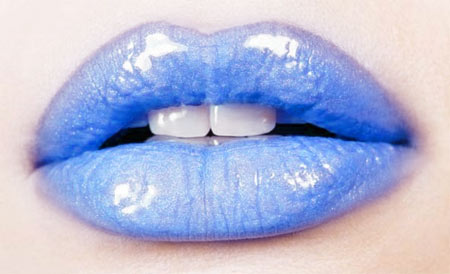
Let's find a more irregular color for the lips instead of the boring reddish pink hues. And you won't even need a beutician!

Date: 2011.05.31. Category:

Photoshop Tutorials

 Hits: 5587
 

The theme is just a step away...

Date: 2011.05.26. Category:

Photo review

 Hits: 1845
 

Lighter and more cutting eyes with a few brush strokes

Date: 2011.05.17. Category:

PS Elements

 Hits: 3095
 

Gig photos I

Date: 2011.05.12. Category:

Photo review

 Hits: 1474
 

Battling confetti rain again

Date: 2011.04.16. Category:

Photoshop Tutorials

 Hits: 3470
 

Lightening and darkening specified areas of a RAW photo

Date: 2011.04.10. Category:

Lightroom

 Hits: 4902
 

A new starlet among sharpening plugins

Date: 2011.03.27. Category:

Photoshop plugins

 Hits: 6240
 

HDR (tone mapped) JPG photo in Lightroom

Date: 2011.03.26. Category:

Lightroom

 Hits: 5309
 

A black-and-white photo with hard contrast

Date: 2011.03.20. Category:

Photoshop Tutorials

 Hits: 2974
 

Copying a theme from one photo to another

Date: 2011.03.15. Category:

PS Elements

 Hits: 3833
 

Painless plastic surgery

Date: 2011.03.12. Category:

Photo Retouch

 Hits: 7558
 

Adjusting image tones directly using the histogram

Date: 2011.03.06. Category:

Lightroom

 Hits: 4105
 

A small bag from NatGeo

Date: 2011.02.26. Category:

Reviews

 Hits: 3928
 

Another use for tone curves

Date: 2011.02.22. Category:

Photoshop Tutorials

 Hits: 3396
 

Creating a custom color profile specific to your own camera

Date: 2011.02.13. Category:

Lightroom

 Hits: 3433
 

We're not frightened by a few spots

Date: 2011.02.13. Category:

Photo Retouch

 Hits: 7869
 

Sized for compact cams

Date: 2011.02.06. Category:

Reviews

 Hits: 3200
 

Baby face or axe face? A cartoon plugin at work.

Date: 2011.02.05. Category:

Photoshop plugins

 Hits: 9267
 

What shall we do with an unruly photo?

Date: 2011.02.05. Category:

Paint shop pro

 Hits: 7725
 

Deceiving ourselves and everybody else by creating an artificial lake

Date: 2011.01.30. Category:

Photoshop Tutorials

 Hits: 19758
 

Kata is not a shrew to tame

Date: 2011.01.22. Category:

Reviews

 Hits: 4245
 

Featuring a digital makeup toolkit

Date: 2011.01.21. Category:

Lightroom

 Hits: 9140
 

Horror and mutilation in generous quantities!

Date: 2011.01.16. Category:

Photo review

 Hits: 2572
 

Creating a painting rich in details

Date: 2011.01.11. Category:

Photoshop Tutorials

 Hits: 11178
 

The mysteries of enhancing details in LightRoom

Date: 2011.01.08. Category:

Lightroom

 Hits: 4019
 

It filters noise and costs nothing

Date: 2011.01.03. Category:

Photoshop plugins

 Hits: 5529
 

Creating unique artistic effects with a fractal-based plugin

Date: 2011.01.01. Category:

Photoshop plugins

 Hits: 12435
 

Backpack for those traveling with photo gear, laptop and more

Date: 2010.12.31. Category:

Reviews

 Hits: 3124
 

Creating a web-based zoomable photo viewer

Date: 2010.12.27. Category:

Photoshop Tutorials

 Hits: 9594
 

We're taking on two of them

Date: 2010.12.14. Category:

Lightroom

 Hits: 3694
 

Dark corners disappear

Date: 2010.12.08. Category:

Photoshop Tutorials

 Hits: 3664
 

Comparing noise filtering to the previous version

Date: 2010.11.14. Category:

Lightroom

 Hits: 4291
 

Fiddling around with layer transformation

Date: 2010.11.07. Category:

Photoshop Tutorials

 Hits: 10445
 

Shadow/Highlight under inspection again

Date: 2010.10.23. Category:

Photoshop Tutorials

 Hits: 4410
 

A few cameras can be triggered from Lightroom

Date: 2010.10.19. Category:

Lightroom

 Hits: 6251
 

A mid-range heavy-duty ball head with a quick socket.

Date: 2010.10.16. Category:

Reviews

 Hits: 16451
 

The picture may be distorted, but the texture will still fit

Date: 2010.10.11. Category:

Photoshop Tutorials

 Hits: 7652
 

Bluish-purple color border! Shoot to kill!

Date: 2010.10.06. Category:

Photoshop Tutorials

 Hits: 4983
 

Why should a lens cap be limited to just one function?

Date: 2010.10.02. Category:

Reviews

 Hits: 3998
 

A look at the horizon of professional tripods

Date: 2010.09.22. Category:

Reviews

 Hits: 6879
 

The grape is ripe. We helped it.

Date: 2010.09.13. Category:

Photoshop Tutorials

 Hits: 6741
 

A custom filter for the professional and the brave.

Date: 2010.08.28. Category:

PS Elements

 Hits: 5337
 

One of the most fascinating new tools in Photoshop CS5

Date: 2010.08.15. Category:

Photoshop Tutorials

 Hits: 20305
 

Cropping an elliptical (oval) shape

Date: 2010.08.07. Category:

Photoshop Tutorials

 Hits: 9492
 

Our review stream has reached the letter 'P', so for today, there's a portrait and the Parliament. There isn't anything more to connect the two, apart from Balázs Turay's thoughts.

Date: 2010.07.29. Category:

Photo review

 Hits: 2338
 

A new button for adjusting tilted images

Date: 2010.07.11. Category:

Photoshop Tutorials

 Hits: 32830
 

Improved noise filtering, automatic lens and perspective correction, and much more.

Date: 2010.06.30. Category:

Lightroom

 Hits: 4062
 

How to shift and adjust colors?

Date: 2010.06.15. Category:

Reviews

 Hits: 4037
 

From gobo to snoot.

Date: 2010.06.12. Category:

Reviews

 Hits: 2732
 

A compact photo studio with a few small accessories.

Date: 2010.06.10. Category:

Reviews

 Hits: 4204
 

A new shadow adjustment feature in the new Photoshop release.

Date: 2010.05.12. Category:

Photoshop Tutorials

 Hits: 18507
 

An overview on new features of the freshly announced image editing giant.

Date: 2010.05.10. Category:

Paint shop pro

 Hits: 7127
 

A classic effect invokes the golden days of photography.

Date: 2010.03.11. Category:

PS Elements

 Hits: 9060
 

A soft but sharp effect using a free soft focus plugin.

Date: 2010.02.14. Category:

Photoshop plugins

 Hits: 10718
 

Getting acquainted with main components and tools.

Date: 2010.01.05. Category:

Paint shop pro

 Hits: 13639
 
Level: advanced

A late autumn mood using a few gradient color filters.

Date: 2009.11.24. Category:

PS Elements

 Hits: 12834
 
Level:

An image viewer in a browser.

Date: 2009.11.06. Category:

Freeware programs

 Hits: 4798
 

A radical distortion á la fisheye lens.

Date: 2009.10.14. Category:

Photoshop Tutorials

 Hits: 106108
 

Borrow sunset colors from another photo.

Date: 2009.08.15. Category:

Photoshop Tutorials

 Hits: 11128
 

Vivid colors in a smart way.

Date: 2009.06.20. Category:

PS Elements

 Hits: 12384
 
Level: advanced

Custom sharpening to emphasize finer details.

Date: 2009.06.16. Category:

Photoshop Tutorials

 Hits: 10307
 

Turning a yellow flower purple-just the usual thing.

Date: 2009.05.26. Category:

PS Elements

 Hits: 17979
 
Level: easy

Cutting a complex shape from a simple background.

Date: 2009.05.06. Category:

PS Elements

 Hits: 14368
 

One of the most important editing tools in Photoshop.

Date: 2009.04.26. Category:

Photoshop Tutorials

 Hits: 54730
 

Preferring a blue sky to a green one?

Date: 2009.04.18. Category:

PS Elements

 Hits: 21442
 

Eat your cake and have it too!

Date: 2009.04.14. Category:

Photoshop Tutorials

 Hits: 15329
 

Batch file conversion, resizing, and renaming.

Date: 2009.03.31. Category:

Freeware programs

 Hits: 3861
 

Introducing the new features from Corel's image editor.

Date: 2009.03.07. Category:

Paint shop pro

 Hits: 20670
 

Covering up the mess.

Date: 2009.02.28. Category:

PS Elements

 Hits: 10283
 
Level: Very easy

New Year's Eve is long gone. Get rid of confetti!

Date: 2009.02.16. Category:

PS Elements

 Hits: 10601
 

A color gradient for fun.

Date: 2009.02.11. Category:

Photoshop Tutorials

 Hits: 11406
 

May fairs in infrared.

Date: 2009.02.08. Category:

Photo review

 Hits: 2961
 
Level: Very easy

Let those Christmas ornaments twinkle!

Date: 2009.01.31. Category:

Photoshop Tutorials

 Hits: 18068
 

"Drunken" buildings again!

Date: 2009.01.25. Category:

Photoshop Tutorials

 Hits: 6853
 
Level: easy

Got means to every end. Even skin color adjustment.

Date: 2009.01.18. Category:

PS Elements

 Hits: 15457
 

A particularly handy enhancement in Photoshop CS and up.

Date: 2009.01.16. Category:

Photoshop Tutorials

 Hits: 8556
 

More vivid colors in a not very traditional way

Date: 2009.01.11. Category:

Photoshop Tutorials

 Hits: 8373
 

Realistic drawings without artistic skills

Date: 2009.01.07. Category:

PS Elements

 Hits: 28429
 

We're planting grass in place of a pavement

Date: 2008.12.30. Category:

Photoshop Tutorials

 Hits: 9289
 
Level:

Headlong into the jungle of photo management software.

Date: 2008.12.14. Category:

Other Programs

 Hits: 5228
 

Selectively.

Date: 2008.12.07. Category:

Photoshop Tutorials

 Hits: 12471
 

Chapter Seven: Ready for the web!

Date: 2008.11.27. Category:

PS Elements

 Hits: 5422
 

Shifted colors get restored.

Date: 2008.11.19. Category:

Photoshop Tutorials

 Hits: 12607
 
Level: advanced

Playing with colors.

Date: 2008.11.13. Category:

Photoshop Tutorials

 Hits: 11687
 

A couple of photos from nature. From near or far.

Date: 2008.11.10. Category:

Photo review

 Hits: 2848
 

New features of the newborn - for now, only in theory.

Date: 2008.11.07. Category:

Paint shop pro

 Hits: 5858
 

Selected color areas can be shaped to your will.

Date: 2008.10.22. Category:

Photoshop Tutorials

 Hits: 9570
 

Duotone effect using a gradient.

Date: 2008.10.13. Category:

Photoshop Tutorials

 Hits: 8158
 

Gone like mist.

Date: 2008.10.09. Category:

Photoshop Tutorials

 Hits: 15339
 

What's a bleached sky to us? We'll restore it in the blink of an eye!

Date: 2008.09.29. Category:

Photoshop Tutorials

 Hits: 9978
 
Level: advanced

A mock-up cityscape by playing with focus.

Date: 2008.09.24. Category:

Photoshop Tutorials

 Hits: 34224
 

Darker highlights and lighter shadows using any Photoshop version.

Date: 2008.09.16. Category:

Photoshop Tutorials

 Hits: 7228
 

Zounds of pictures and not much patience? You may have to carry out the same steps on several pictures, but you don't have the time or patience to adjust them manually, one by one. Using actions can solve your problem.

Date: 2008.09.10. Category:

Paint shop pro

 Hits: 4773
 

A couple of city photos stand before our third eye.

Date: 2008.08.29. Category:

Photo review

 Hits: 2728
 
Level: advanced

An old family portrait, born anew.

Date: 2008.08.23. Category:

Photo Retouch

 Hits: 5571
 

The final part of our HDR series.

Date: 2008.08.18. Category:

Other Programs

 Hits: 7366
 

The King of HDR software returns.

Date: 2008.08.13. Category:

Other Programs

 Hits: 6590
 

Merging photos of different exposure. And you don't even need Photoshop for it!

Date: 2008.08.11. Category:

Other Programs

 Hits: 6397
 
Level: advanced

It's hot! We went crazy in the sun and are drawing comics. Our complimentary action is hot, too!

Date: 2008.08.03. Category:

Photoshop Tutorials

 Hits: 44871
 

The third eye opens again!

Date: 2008.07.31. Category:

Photo review

 Hits: 3064
 

An eight-pointed star effect to the light sources of night-time photos.

Date: 2008.07.26. Category:

Photoshop Tutorials

 Hits: 52656
 

Chapter Six: Is this horizontal?

Date: 2008.07.19. Category:

PS Elements

 Hits: 4654
 

Real optical tuning.

Date: 2008.07.16. Category:

Freeware programs

 Hits: 4597
 

A digital painter for Photoshop paintings.

Date: 2008.07.12. Category:

Photoshop plugins

 Hits: 21923
 

Last time we swapped red for blue. Now make it the other way. And another way, too.

Date: 2008.07.07. Category:

Photoshop Tutorials

 Hits: 14734
 

What is Adobe's free online editor capable of?

Date: 2008.07.04. Category:

Freeware programs

 Hits: 4296
 

Photoshop for free?!

Date: 2008.07.01. Category:

Freeware programs

 Hits: 6254
 

3 in 1: colors, contrast and lightness in one go.

Date: 2008.06.30. Category:

Photoshop Tutorials

 Hits: 7903
 

Chapter Five: Now what about contrast?

Date: 2008.06.26. Category:

PS Elements

 Hits: 5243
 

A zoom blur highlights the main theme.

Date: 2008.06.22. Category:

Photoshop Tutorials

 Hits: 26049
 

Attaching a digital polar filter.

Date: 2008.06.19. Category:

Photoshop Tutorials

 Hits: 9238
 
Level: advanced

A picture drawn from a photo-for CS and CS2 users.

Date: 2008.06.16. Category:

Photoshop Tutorials

 Hits: 54090
 

A poignant contrast without bleaching out lighter areas.

Date: 2008.06.14. Category:

Photoshop Tutorials

 Hits: 9241
 

Chapter Four: Colors corrected.

Date: 2008.06.12. Category:

PS Elements

 Hits: 5496
 

Finishing what we have begun.

Date: 2008.06.09. Category:

Photoshop Tutorials

 Hits: 7978
 

Multiple photos on single a canvas will make up a postcard.

Date: 2008.06.08. Category:

Photoshop Tutorials

 Hits: 10355
 
Level: advanced

A bit of summer nostalgia. Without cellulite, though.

Date: 2008.06.04. Category:

Photo Retouch

 Hits: 33197
 

Another two photos under scrutiny.

Date: 2008.06.02. Category:

Photo review

 Hits: 2664
 
Level: advanced

A creative article, also for men!

Date: 2008.05.30. Category:

Photoshop Tutorials

 Hits: 63545
 

And now for something completely different!

Date: 2008.05.25. Category:

Photo review

 Hits: 3622
 

Focus on the center!

Date: 2008.05.21. Category:

Photoshop Tutorials

 Hits: 16799
 

Chapter Three: The Invisible unveiled.

Date: 2008.05.19. Category:

PS Elements

 Hits: 6655
 

Don't leave your photos out in the sun! Use Photoshop to wither them instead.

Date: 2008.05.15. Category:

Photoshop Tutorials

 Hits: 13691
 

What to do when a photo is to be printed or processed in a digital lab?

Date: 2008.05.12. Category:

Photoshop Tutorials

 Hits: 23800
 

Chapter Two: Ending the hegemony of Purple Edges.

Date: 2008.05.11. Category:

PS Elements

 Hits: 4436
 

Chapter One: How to clean up a car sticking out from the shrubbery?

Date: 2008.05.07. Category:

PS Elements

 Hits: 6892
 

Once again, we pick a fight against noise, more exactly against the grains of luminance noise.

Date: 2008.05.03. Category:

Photoshop Tutorials

 Hits: 29022
 

Your photos will be sharp as a crystal shards.

Date: 2008.04.29. Category:

Photoshop plugins

 Hits: 6519
 

A mock-up looking effect with an imaginary tilt lens.

Date: 2008.04.24. Category:

Photoshop Tutorials

 Hits: 31423
 
Level: advanced

Ready to fire... Fire up those colors!

Date: 2008.04.21. Category:

Photo Retouch

 Hits: 7006
 

Midtones, step forward! Stay where you are, the rest of you!

Date: 2008.04.19. Category:

PS Elements

 Hits: 9011
 
Level: advanced

A tanning bed, just a click away.

Date: 2008.04.14. Category:

Photoshop Tutorials

 Hits: 35656
 
Level: very easy

Old, browned photographs... taken last morning.

Date: 2008.04.11. Category:

PS Elements

 Hits: 15846
 

Take a look at the most appropriate solution.

Date: 2008.04.10. Category:

Photoshop Tutorials

 Hits: 11794
 

Get out Elements! We'll rip off those color veils.

Date: 2008.04.07. Category:

PS Elements

 Hits: 7756
 

Buildings askew, tilting backwards? Photoshop Elements does away with them in a few minutes.

Date: 2008.04.05. Category:

PS Elements

 Hits: 13816
 

A familiar situation: a light sky with buildings covered in darkness.

Date: 2008.04.04. Category:

Photoshop Tutorials

 Hits: 17190
 
Level: advanced

Here's what we've promised: non-linear undo!

Date: 2008.04.03. Category:

Photoshop Tutorials

 Hits: 6667
 

Time is money, even in photo editing.

Date: 2008.03.31. Category:

PS Elements

 Hits: 6173
 

Hikey, baby!

Date: 2008.03.30. Category:

Photoshop Tutorials

 Hits: 80379
 

Once a digital photo, now a pastel crayon drawing.

Date: 2008.03.28. Category:

Photoshop plugins

 Hits: 45433
 

Some colors stay, others go.

Date: 2008.03.23. Category:

PS Elements

 Hits: 15137
 
Level: easy

Fading our last step. Beware, fading is not exactly fading!

Date: 2008.03.21. Category:

Photoshop Tutorials

 Hits: 24116
 

Leveling out an askew photo... in an even simpler way.

Date: 2008.03.20. Category:

PS Elements

 Hits: 8795
 
Level: advanced

The only thing that matters-the Lab channel.

Date: 2008.03.16. Category:

Photoshop Tutorials

 Hits: 9022
 

This time, we will make the corners darken.

Date: 2008.03.15. Category:

Photoshop Tutorials

 Hits: 187860
 

Sending a bit of sunshine to the shadowy areas of a landscape photo.

Date: 2008.03.14. Category:

Photoshop Tutorials

 Hits: 13148
 

The yellow color veil vanishes. You don't even need to struggle.

Date: 2008.03.10. Category:

Photoshop Tutorials

 Hits: 7707
 

For the fourth time, we are tending to low contrast.

Date: 2008.03.09. Category:

Photoshop Tutorials

 Hits: 7188
 
Level: advanced

Even rounded corners can stick out.

Date: 2008.03.08. Category:

Photoshop Tutorials

 Hits: 10017
 

Sharing the secret of piercing Photoshop looks.

Date: 2008.03.03. Category:

Photoshop Tutorials

 Hits: 23109
 

An annyoing darkness covers the edges of your photo. The solution is in our hands. Or rather, in this article.

Date: 2008.03.01. Category:

Photoshop Tutorials

 Hits: 10650
 

100% melancholy, packed as a plugin.

Date: 2008.02.29. Category:

Photoshop plugins

 Hits: 17412
 

Down with paleness, lively is lovely!

Date: 2008.02.27. Category:

Photoshop Tutorials

 Hits: 75636
 

A heart-shaped border for Valentine's Day.

Date: 2008.02.27. Category:

PS Elements

 Hits: 24673
 
Level: advanced

An old paper photo of a fox, full of dust, scratches and age. The fox remains, the nuisances go.

Date: 2008.02.24. Category:

Photo Retouch

 Hits: 10922
 

We select a single color in the picture and say goodbye to all the others.

Date: 2008.02.23. Category:

Photoshop Tutorials

 Hits: 15124
 

Is your photo gloomy, cheerless, dull? Let there be light!

Date: 2008.02.22. Category:

Photoshop Tutorials

 Hits: 25209
 

Aging a color photo by decades.

Date: 2008.02.21. Category:

Photoshop Tutorials

 Hits: 11121
 
Level: advanced

A finished product from raw material.

Date: 2008.02.18. Category:

PS Elements

 Hits: 15737
 

Sharpening smartly, with a new feature in PSE 5.0.

Date: 2008.02.14. Category:

PS Elements

 Hits: 22202
 

The simplest way to make nice sepia photos.

Date: 2008.02.10. Category:

Photoshop Tutorials

 Hits: 7275
 

Correcting what your lens messed up.

Date: 2008.02.08. Category:

PS Elements

 Hits: 10009
 

Steady nerves only! Manual white balance correction? Oh My!

Date: 2008.02.05. Category:

Photoshop Tutorials

 Hits: 8042
 

Not really smoothing out but making freckles vanish.

Date: 2008.02.02. Category:

Photoshop Tutorials

 Hits: 27759
 

Fruit can be ripened in the winter as well. Take a look.

Date: 2008.01.31. Category:

Photoshop Tutorials

 Hits: 9944
 
Level: advanced

Bored of digital looks? Spice up your photo with film grains!

Date: 2008.01.29. Category:

Photoshop Tutorials

 Hits: 29490
 

Another attempt at setting a proper contrast.

Date: 2008.01.28. Category:

Photoshop Tutorials

 Hits: 6588
 
Level: advanced

We conjure colors onto a bleached sky while leaving the irrelevant areas untouched.

Date: 2008.01.24. Category:

Photo Retouch

 Hits: 41250
 

"Your photographer friends" will be surely humiliated when they see the carnival of colors on your nature photos. Even colors thought to be dead can be revitalized with some care. This is what the next dossier is about.

Date: 2008.01.18. Category:

Photo Retouch

 Hits: 18179
 
Level: advanced

With some diligent afterwork, a zoo portrait can be turned into a nice photo for monitor or web usage instead of throwing out.

Date: 2008.01.15. Category:

Photo Retouch

 Hits: 9094
 

ImageSkill's free plugin offers a more balanced lighting.

Date: 2008.01.12. Category:

Photoshop plugins

 Hits: 13608
 

There's an obscure, rarely mentioned way to do it.

Date: 2008.01.08. Category:

Photoshop Tutorials

 Hits: 5310
 
Level: easy

Let's make a calendar in Photoshop Elements 4.0

Date: 2008.01.06. Category:

PS Elements

 Hits: 12315
 
Level: easy

A step onward. Or back?

Date: 2008.01.05. Category:

Photoshop Tutorials

 Hits: 5155
 
Level: easy

A dumb title for a useful feature: Adjusting brightness and contrast.

Date: 2008.01.03. Category:

PS Elements

 Hits: 19705
 

You're lucky if the wall's only falling in the photo. It's easily mended.

Date: 2007.12.30. Category:

Photoshop Tutorials

 Hits: 10329
 

Professional black-and-white conversion, finally also in PSE 5.0!

Date: 2007.12.28. Category:

PS Elements

 Hits: 10618
 

Another custom method to produce better black-and-white images.

Date: 2007.12.27. Category:

Photoshop Tutorials

 Hits: 8387
 

We lighten up shadowed areas while breaking in those unruly highlights.

Date: 2007.12.25. Category:

Photoshop Tutorials

 Hits: 24043
 

Perhaps it's not too late yet to post some Christmas cards.

Date: 2007.12.25. Category:

Photoshop Tutorials

 Hits: 11457
 

Purple, blue, yellow, red edges? Fight 'em!

Date: 2007.12.22. Category:

Photoshop Tutorials

 Hits: 9938
 

Sharpening a fuzzy hairball?

Date: 2007.12.22. Category:

PS Elements

 Hits: 7349
 

An almost hopeless struggle against motion blur.

Date: 2007.12.21. Category:

Photoshop plugins

 Hits: 54513
 

Dismissing the evil eye.

Date: 2007.12.19. Category:

PS Elements

 Hits: 8731
 

It is here again, and you can only trust in yourself and your software.

Date: 2007.12.15. Category:

Photoshop Tutorials

 Hits: 7201
 

After all that sharpening, let's see what to do when you want to eliminate the effects of oversharpening!

Date: 2007.12.13. Category:

Photoshop Tutorials

 Hits: 21978
 
Level: advanced

Our obsession for sharpening isn't over yet. We're taking on this task for the fourth time.

Date: 2007.12.12. Category:

Photoshop Tutorials

 Hits: 8952
 

Put a digital passepartout around your photos.

Date: 2007.12.10. Category:

Photoshop Tutorials

 Hits: 16444
 

Done with retouching? Show your photo to the whole world!

Date: 2007.12.07. Category:

Photoshop Tutorials

 Hits: 4347
 

A real 2-in-1 tool in our focus.

Date: 2007.12.04. Category:

Photoshop Tutorials

 Hits: 7618
 
Level: very easy

We create a faint inscription as a watermark in a corner of a photo. "Thou shalt not steal!", the Lord sayeth.

Date: 2007.11.29. Category:

Photoshop Tutorials

 Hits: 10812
 
Level: advanced

Let's try to imitate the feeling the colors of negative films radiate.

Date: 2007.11.27. Category:

Photoshop Tutorials

 Hits: 21073
 
Level: very easy

As always, we introduce a simple, but unorthodox method to make your pictures lighter.

Date: 2007.11.25. Category:

Photoshop Tutorials

 Hits: 4707
 

It's high time we took a glance at the capabilities of the Curves feature that offers a wide-ranged and easily controllable feature for increasing contrast.

Date: 2007.11.24. Category:

Photoshop Tutorials

 Hits: 8030
 

Taking the dive into the depths of Neat Image.

Date: 2007.11.23. Category:

Photoshop plugins

 Hits: 12715
 

Layer masks offer thousands of possibilities. Want to know about them? Step inside!

Date: 2007.11.20. Category:

Photoshop Tutorials

 Hits: 29892
 

Another tip for the successful fight against color noise.

Date: 2007.11.18. Category:

Photoshop Tutorials

 Hits: 25772
 

Want to resize several pictures of portrait and landscape orientation to the same dimensions simultaneously? Here's a handy trick to help.

Date: 2007.11.18. Category:

Photoshop Tutorials

 Hits: 11242
 

This tip helps in creating a similar color effect for photos of different hues.

Date: 2007.11.17. Category:

Photoshop Tutorials

 Hits: 27346
 

The Prince of Noise Filtering, in the form of a plugin.

Date: 2007.11.16. Category:

Photoshop plugins

 Hits: 22174
 

Painting an earlier picture state into a modified photo using History Brush.

Date: 2007.11.14. Category:

Photoshop Tutorials

 Hits: 15133
 

You can’t get enough of borders. Another tip for digital frames.

Date: 2007.11.13. Category:

Photoshop Tutorials

 Hits: 13652
 

This article is for making landscapes “more interesting”.

Date: 2007.11.12. Category:

Photoshop Tutorials

 Hits: 23111
 

Digital photographer becomes virtual photographer.

Date: 2007.11.08. Category:

Photoshop plugins

 Hits: 25155
 

Another attempt to lighten up a dark photo. This one’s a bit more complex, but still an easy job.

Date: 2007.11.06. Category:

Photoshop Tutorials

 Hits: 5228
 

Let red turn blue!

Date: 2007.11.05. Category:

Photoshop Tutorials

 Hits: 45921
 

Debarrelizer & Co. strikes again.

Date: 2007.11.04. Category:

Photoshop plugins

 Hits: 12896
 

Once again we introduce a rarely used sharpening method with a fabulous cat portrait.

Date: 2007.11.04. Category:

Photoshop Tutorials

 Hits: 9642
 

Debarrelizer & Co.

Date: 2007.11.03. Category:

Photoshop plugins

 Hits: 16963
 

We try to emulate a softening filter using a very simple method.

Date: 2007.11.02. Category:

Photoshop Tutorials

 Hits: 24718
 

The dreamlike, colorful sundown is of course the result of our tip below.

Date: 2007.11.01. Category:

Photoshop Tutorials

 Hits: 13571
 

You’ve got the landscape (building etc.), but the sky is bleached white? If you measure exposure at the sky, the object becomes too dark?

Date: 2007.10.29. Category:

Photoshop Tutorials

 Hits: 13659
 

Two different photos merging with each other.

Date: 2007.10.25. Category:

Photoshop Tutorials

 Hits: 234960
 
Level: advanced

How a photo becomes an aquarel.

Date: 2007.10.23. Category:

Photoshop Tutorials

 Hits: 16731
 

We bring a bit of blue into the grey sky by emulating a blue gradient filter. We even try to stick a few clouds on it.

Date: 2007.10.22. Category:

Photoshop Tutorials

 Hits: 47753
 

Increasing contrast is one of the simplest procedures in Photoshop. Now we introduce a less trivial way.

Date: 2007.10.20. Category:

Photoshop Tutorials

 Hits: 7888
 
Level: advanced

Basic sharpening procedures (e.g. Unsharp Mask) do not distinguish between details and noise, and therefore they sharpen noise, too. We step up and try to sharpen only the substantial details.

Date: 2007.10.17. Category:

Photoshop Tutorials

 Hits: 12133
 

Noise… the bogeyman! We can almost see digital photographers shiver and shrink. Well, not those who read us.

Date: 2007.10.16. Category:

Photoshop Tutorials

 Hits: 88770
 

When lighting is strong, you have to fight shadows, too. They might overcome for a time, but there is always a chance for another battle.

Date: 2007.10.15. Category:

Photoshop Tutorials

 Hits: 22198
 
Level: very easy

Sometimes you have to crop a photo's outer parts to make it more aesthetical. This article describes the simplest way to do it.

Date: 2007.10.12. Category:

Photoshop Tutorials

 Hits: 5443
 

The photo is askew, but we boldly apply a simple and accurate remedy.

Date: 2007.10.11. Category:

Photoshop Tutorials

 Hits: 10445
 

Annoying blue/purple strips appear on the borders of dark and light areas. Most of the time they can be reduced considerably, or even eliminated.

Date: 2007.10.10. Category:

Photoshop Tutorials

 Hits: 25699
 

Fear not the annoying faulty pixels in your photos. The article explains how to eliminate them with care.

Date: 2007.10.08. Category:

Photoshop Tutorials

 Hits: 32716
 

An occasional branch, power lines or an intruding mother-in-law disturbs the general effect of the picture? Never mind.

Date: 2007.10.05. Category:

Photoshop Tutorials

 Hits: 30900
 

We try to make the colored veil on some photos disappear using a most simple method.

Date: 2007.10.04. Category:

Photoshop Tutorials

 Hits: 13361
 

You have almost infinite possibilities for applying borders to your pictures. Here's number two out of infinity.

Date: 2007.09.27. Category:

Photoshop Tutorials

 Hits: 16156
 

An inexhaustible topic again. First of all, a handy method for selecting similarly coloured areas.

Date: 2007.09.26. Category:

Photoshop Tutorials

 Hits: 11977
 

Date stamp in the picture? How can it be?!

Date: 2007.09.24. Category:

Photoshop Tutorials

 Hits: 30001
 
Level: very easy

Messed up a step? Don't panic! Just take a step back.

Date: 2007.09.18. Category:

Photoshop Tutorials

 Hits: 6015
 

"It looked much better on the LCD!" The final picture is too dark on the monitor. A bit of editing is all you need.

Date: 2007.09.06. Category:

Photoshop Tutorials

 Hits: 9840
 

A really simple method to create a border on photos.

Date: 2007.09.04. Category:

Photoshop Tutorials

 Hits: 32583
 
Level: Very easy

A simple method to convert the 4:3 size ratio of digital photos to 3:2.

Date: 2007.08.27. Category:

Photoshop Tutorials

 Hits: 15620
 

Faking it: depth of focus

Date: 2007.08.17. Category:

Photoshop Tutorials

 Hits: 305192
 

Despite of the pompously-called “red eye removal mode”, your camera turns your photo subjects into rabbits? Here’s the solution!

Date: 2007.08.07. Category:

Photoshop Tutorials

 Hits: 12177
 

Who needs 16 million of them when 3 is spectacular enough?!

Date: 2007.07.24. Category:

Photoshop Tutorials

 Hits: 56318
 

When wrinkle remover fails, try Photoshop.

Date: 2007.07.24. Category:

Photoshop Tutorials

 Hits: 84023
 

White isn’t white? Your photos are full of unrealistic colors? Don’t throw them away! Read the following article instead!

Date: 2007.06.20. Category:

Photoshop Tutorials

 Hits: 13758
 

We try to simulate a relatively rare photo filter of a special effect.

Date: 2007.06.20. Category:

Photoshop Tutorials

 Hits: 49334
 

The golden age of photography revives on beautiful sepia-toned photos…

Date: 2007.02.13. Category:

Photoshop Tutorials

 Hits: 16383
 

What to do when buildings tilt in a curious way on your photos? A simple trick to solve the problem.

Date: 2007.02.13. Category:

Photoshop Tutorials

 Hits: 24806
 

Why would you waste money on a low-quality Far East Christmas lights set when digital floodlight is at hand?

Date: 2007.02.13. Category:

Photoshop Tutorials

 Hits: 16934
 
Level: Very easy

Let’s start at the beginning! Return to the basics and see how you can sharpen your photos easily…

Date: 2007.02.13. Category:

Photoshop Tutorials

 Hits: 27127
 

If you want more than the B&W feature of your camera, you can find the truth in this article…

Date: 2007.02.12. Category:

Photoshop Tutorials

 Hits: 20063


nEtural webdesign -All rights reserved!  


Impressum
| About us

© nEtural webdesign 2006.
All rights related to the free use of any pictures, sounds, written material and graphical elements published on the web site are reserved by the site owner. The owner's approval is required for the use of such published elements.